


? Quick Answer
The answer depends on which functions you need to keep running. For the MEICET 3D MD300, image capture itself relies on a direct USB 3.0 connection between the device and the controlling computer, so the hardware-level acquisition does not depend on an internet connection. However, the MD300’s cloud connectivity and multi-terminal access features are designed for remote consultation and longitudinal patient tracking, which means AI-driven analysis and data synchronisation may require network access. On language support, MEICET’s product line demonstrates a clear pattern: the MC10 portable analyzer explicitly supports Chinese, English, Italian, Spanish, and Korean, with customisation available. Whether the MD300 ships with the same language set by default is not stated in the available product documentation, so buyers should confirm the exact language package for their region before purchase.
Key Takeaways
- ✓ Offline image capture is technically possible because the MD300 uses a wired USB connection to the host computer, not a cloud-only capture pipeline.
- ✓ Cloud-dependent features such as remote consultation, multi-terminal data access, and AI analysis views may require an active internet connection.
- ✓ Language support varies by model; MEICET’s MC10 lists five built-in languages plus customisation, but the MD300’s language package is not confirmed in public specifications.
- ✓ Regulatory language requirements in some markets may obligate the manufacturer or importer to provide a localised interface, particularly for software with medical claims.
- ✓ Customisation is possible according to MEICET’s MC10 documentation, suggesting that language requests can be discussed at the procurement stage.
Why “Offline” Is Not a Yes-or-No Question
A skin analyzer’s offline capability is not a single switch. The device performs several distinct functions, and each function has its own dependency on network connectivity. Image acquisition, local image storage, on-device processing, cloud synchronisation, AI analysis, and report generation can operate under different connectivity assumptions. A clinic that only needs to capture standardised facial images for side-by-side comparison may find that a local connection is sufficient. A clinic that relies on AI-generated skin scores, remote specialist review, or multi-branch data consolidation will need the cloud layer to be active.
This distinction matters because the MD300 is positioned as a system with cloud connectivity and multi-terminal access, not merely a standalone camera. The device’s value proposition includes longitudinal tracking and remote consultation, both of which imply data leaving the local machine. Buyers should map their intended clinical workflow against these functions before assuming that “offline” is either fully supported or fully absent.
The MD300’s Connectivity Architecture
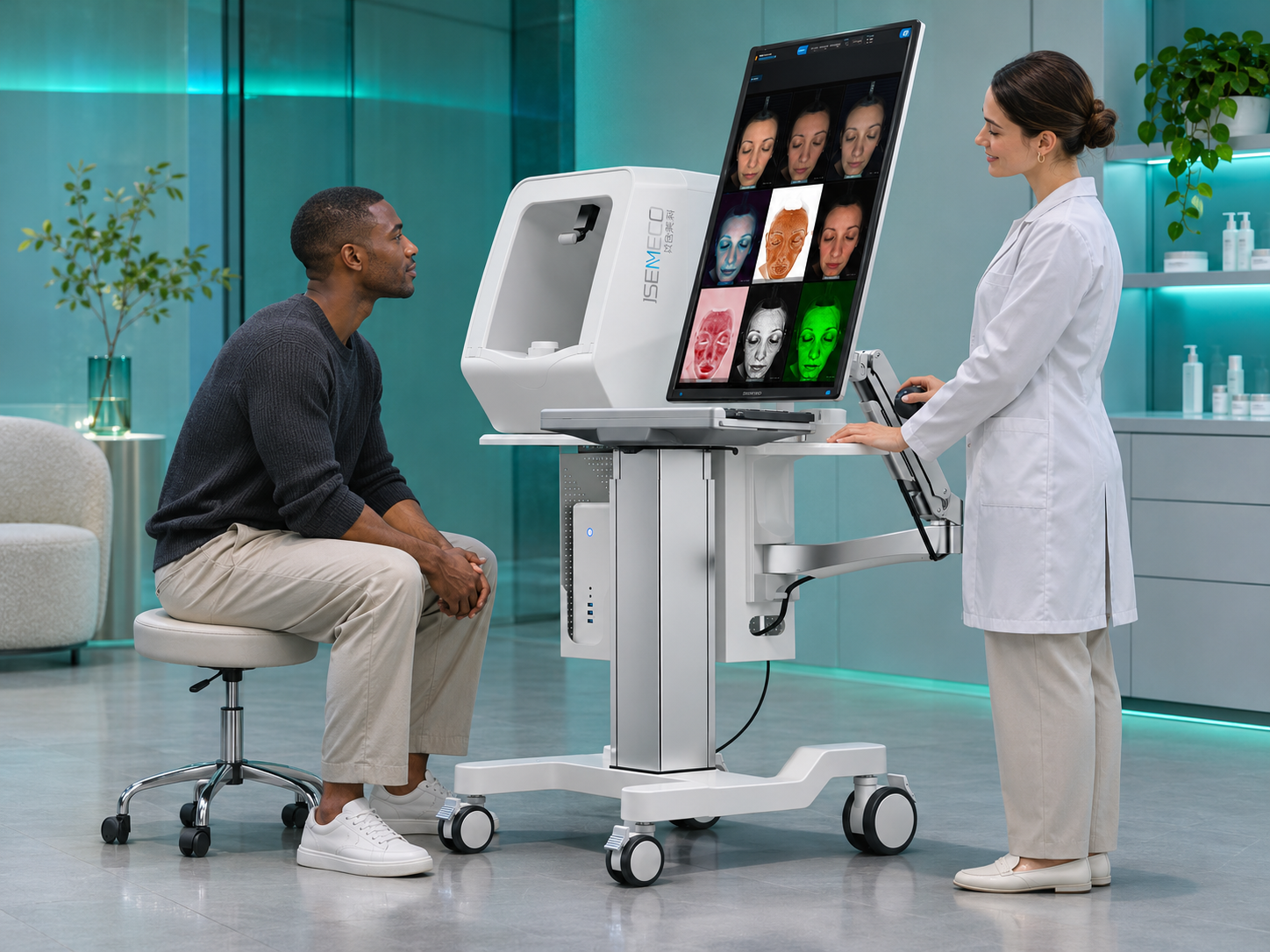
The MD300’s published hardware specification lists a USB 3.0 Type-B port as the interface. This is a direct, wired connection between the imaging device and a host computer. The presence of a wired interface is significant: it means the capture hardware does not inherently require an internet connection to transmit image data to the controlling software. The host computer runs the analysis application, and the device supplies the optical data through the cable.
Cloud connectivity enters at the software and data-management layer. MEICET describes the MD300 as integrating with cloud-based platforms to enable remote consultation and long-term patient tracking beyond the clinic’s physical boundaries. The system also supports multi-terminal access, allowing collaborative diagnosis and treatment across different departments or salon locations. These are network-dependent functions by design. The practical implication is that a clinic can likely perform basic image capture and local review with the device connected only to its host computer, but the full feature set described in MEICET’s marketing materials assumes connectivity.
What Offline Operation Means in Practice
For a clinic evaluating the MD300, the realistic offline scenario is local capture and local review. The operator can position the patient using the forehead and chin supports, acquire multi-spectral images, and view those images on the connected workstation. This workflow does not inherently require a cloud connection because the data path is device-to-computer via USB.
The limitations emerge when the clinic wants to use features that depend on server-side processing or remote data access. AI analysis views, simulated aging or pigmentation projections, and comparison of images captured at different clinic locations are all services that MEICET describes in the context of cloud integration. If the network is unavailable, these functions may be degraded or unavailable. The specific behaviour—whether the software caches results locally or fails gracefully—is a question for the supplier, because the public documentation does not describe the offline fallback logic.
Language Support: What the Product Line Tells Us
MEICET’s published language specifications for its portable MC10 model list Chinese, English, Italian, Spanish, and Korean as supported languages, with customisation available. This is the most concrete language information available across MEICET’s product documentation. The MC10 also supports multiple international plug standards, indicating that the company designs for export markets with different electrical and linguistic requirements.
The MD300’s product specification page does not list supported languages. This absence is not evidence that the MD300 is English-only; it simply means the public specification is incomplete on this point. Given that MEICET positions the MD300 for international markets—including appearances at expos in Las Vegas and Dubai—it is reasonable to expect that multiple language options exist or can be configured. However, reasonable expectations are not a substitute for written confirmation. A buyer in a non-English-speaking market should ask the supplier for the specific language package that will ship with the unit.
Regulatory Context: Language Is Not Just a Preference
In some jurisdictions, interface language is a regulatory requirement, not a convenience feature. Sweden’s Medical Products Agency states that for medical devices placed on the Swedish market, control panels, displays, and user interfaces—including those in standalone software—must be available in Swedish. The requirement applies to devices complying with EU regulations and is framed as a condition for market access.
Whether a skin analyzer with AI analysis features qualifies as a medical device in a given jurisdiction depends on its intended use and the claims made about it. Clinics that market their services as diagnostic or therapeutic, or that use the device’s outputs to support treatment decisions, should verify the classification with their supplier and confirm that the interface language meets local requirements. Even where a device is not classified as a medical device, professional procurement often expects local-language operation as a baseline usability requirement.
Comparison: Connectivity and Language Considerations by Use Case
| Use Case | Offline Capture Possible? | Cloud Features Required? | Language Confirmation Needed? |
|---|---|---|---|
| Single-clinic image capture and local review | Yes—USB connection to host computer | No for capture; AI views may be limited | Yes—confirm MD300 package for your region |
| Multi-branch clinic with centralised patient records | Capture may be local; synchronisation requires network | Yes—multi-terminal access is a described feature | Yes—each site’s interface language should be confirmed |
| Remote consultation or specialist review | Depends on local caching behaviour | Yes—remote access relies on cloud platforms | Yes—consultation reports may need local language output |
| Mobile or satellite clinic with unreliable internet | Capture can proceed; full analysis may be affected | Likely yes for AI analysis and reporting | Yes—confirm whether offline mode retains full UI language support |
! Questions to Ask Before You Buy
The following checklist is designed to extract the specific information that public specifications do not provide:
- What is the exact language package included with the MD300 in my region? Request a written list, not a verbal assurance.
- If the interface language I need is not included by default, can it be added? If so, is there a cost or lead time?
- Which functions require an internet connection? Ask for a feature-by-feature breakdown: capture, local image storage, AI analysis, report generation, and data export.
- What happens to the software when the network is down? Does it display an error, fall back to local processing, or queue data for later synchronisation?
- Is patient data stored locally during offline operation, and how is it secured? Local storage raises data protection obligations that the clinic must understand.
- Does the software support right-to-left scripts or character-based languages if your market requires them? “Multiple languages” does not automatically mean full coverage of every script.
- Are interface translations validated by the manufacturer, or can they be edited locally? A poorly translated clinical interface creates usability and liability risks.
FAQ
Can the MD300 capture images without an internet connection?
Image capture uses a USB 3.0 connection between the device and the host computer. The capture step itself does not appear to require internet access. However, functions that depend on cloud processing, such as certain AI analysis views or remote data synchronisation, may require connectivity.
Does the MD300 support languages other than English?
MEICET’s portable MC10 model lists Chinese, English, Italian, Spanish, and Korean, with customisation available. The MD300’s public specification does not list supported languages. Buyers should request the specific language package for their region in writing before purchase.
What happens to unsynchronised data if the connection drops during a session?
The public documentation does not describe the offline fallback or data-queuing behaviour. This is a technical question for the supplier. Clinics that operate in areas with unreliable connectivity should ask for a demonstration of the software’s behaviour when the network is interrupted.
Are language packs customisable for smaller markets?
MEICET’s MC10 documentation states that language support “can be customised”. Whether this applies to the MD300, and what the process involves, should be confirmed with the supplier. Customisation may involve lead time or additional cost.
Is the interface language a regulatory issue for my clinic?
In some markets, yes. Sweden, for example, requires medical device user interfaces to be available in Swedish. Whether your device is classified as a medical device depends on its intended use and claims. Verify the classification and local language requirements before import.
Can I install my own translation if the built-in language is insufficient?
This depends on the software architecture. Some systems allow localisation files to be edited; others do not. Modifying manufacturer software may affect warranty or regulatory compliance. Ask the supplier whether user-side localisation is supported.
Does multi-terminal access work across different countries?
Multi-terminal access is described as enabling collaboration across different departments and salon locations. Cross-border access may be subject to data protection rules, network latency, and the terms of the software license. Confirm with the supplier whether geographic restrictions apply.
Post time: Nov-25-2026


